Docker Daemon
Docker daemon used to do a lot of heavy lifting. Currently, containerd does the container management. Docker daemon is now a thin layer that orchestrates.
Docker daemon is the orchestrator for container operations. The docker CLI is just a client to communicate with the docker daemon. It does the docker specific network configuration. Then uses the network details in the containerd request.
We must understand how kubelet orchestrates CNI, CDI, CSI and finally the CRI plugins to create the container. Docker daemon works similarly.
Docker daemons are just JSON APIs but exposed over a Unix socket.
The docker CLI writes JSON requests to the docker daemon socket. The docker daemon works on them and writes JSON responses back to the socket.
Listen on multiple sockets
By default, docker daemon listens on a Unix socket located at /var/run/docker.sock.
See Unix Domain Sockets for more details.
This can be changed to configured to listen on TCP sockets as well. In this case, even remote docker clients can connect to the docker daemon over the network.
Ways of running Docker daemon
- As root - Here the docker daemon runs as root and has full access to the host system. the docker CLI forwards the request to this daemon which configures everything.
- As root but with user namespace - The docker daemon is started with user namespace config enabled. In this case, the users in the namespace are mapped to a non-root user on the host system.
- rootless docker - In this case, the docker daemon runs as a non-root user and has limited access to the host system. This changes everything. Docker networking for example can't be used as before.
Docker containers don't have a separate user namespace by default. It shares the host's user namespace. Without this, accessing files on the host becomes tricky due to mismatch of UID and GIDs.
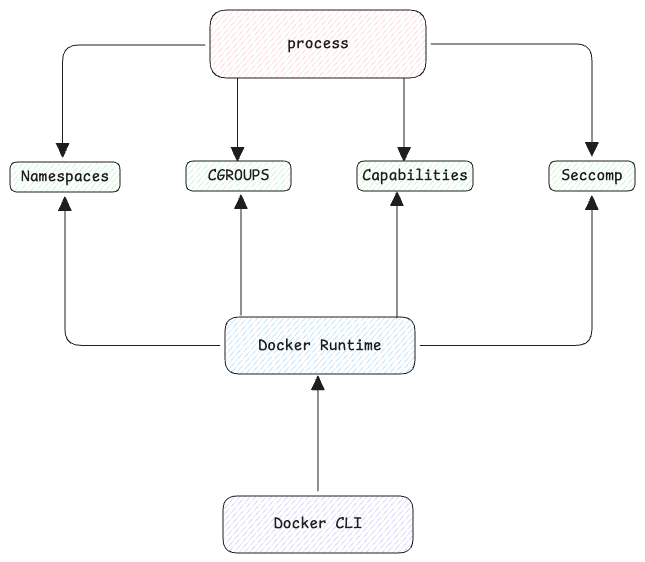
Docker daemon completely owns the network configuration. It creates the network namespace, configures virtual devices and the bridge. It then passes this information to containerd to create the container using this configuration.